Remote for Apple TV2.1
Publisher Description
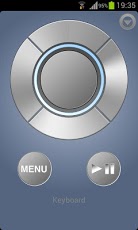
The Remote for Apple TV app can be used as a remote control for jail-broken Apple TV (2nd generation) only.
**** PLEASE READ THIS BEFORE DOWNLOADING/RATING !!! ****
If your Apple TV 2nd generation is NOT jail broken, this app will not work. If it is jail broken on version 4.4.4 or above, please follow the steps below. The app should work! if not , you probably did not read that your Apple TV 2nd generation should be JAIL-BROKEN or did not installed AirControl(Beta). Do not use in combination with Navi-X.
It is very easy:
- Download this app and install AirControl(beta) on your jail-broken Apple TV from the maintenance menu. If your do not have the maintenance menu please install aTV Flash(black) version 1.7 or above first!
- In this app, go to settings and enter the IP of your Apple TV.
- To use the keyboard for XBMC press menu and tap on : "XBMC-Keyboard" enable remote over http and do NOT enter any username and password! This will be added in another update.
- Start using your new remote !
We told you it was simple !
The keyboard functionality will only work if the cursor is positioned on one of the characters or input field. The jailbreak must detect an input field for correct functionality.
AppleTV is a trademark of Apple Inc.
About Remote for Apple TV
The company that develops Remote for Apple TV is Jarpis2012. The latest version released by its developer is 2.1. This app was rated by 1 users of our site and has an average rating of 4.0.
To install Remote for Apple TV on your Android device, just click the green Continue To App button above to start the installation process. The app is listed on our website since 2014-05-20 and was downloaded 16 times. We have already checked if the download link is safe, however for your own protection we recommend that you scan the downloaded app with your antivirus. Your antivirus may detect the Remote for Apple TV as malware as malware if the download link to develapp.android.atvremote is broken.
How to install Remote for Apple TV on your Android device:
- Click on the Continue To App button on our website. This will redirect you to Google Play.
- Once the Remote for Apple TV is shown in the Google Play listing of your Android device, you can start its download and installation. Tap on the Install button located below the search bar and to the right of the app icon.
- A pop-up window with the permissions required by Remote for Apple TV will be shown. Click on Accept to continue the process.
- Remote for Apple TV will be downloaded onto your device, displaying a progress. Once the download completes, the installation will start and you'll get a notification after the installation is finished.
Program Details
System requirements
Download information
Pricing
Version History
version 2.1
posted on 2014-05-20
20-05-2014:,IP-Input fix,04 April 2014:,New Design ( inc. Dark Theme ),30 August 2013:,XBMC Frodo Typing,20 August 2013 :,Android 4.3 support,05 December 2012:,Added statistics for improving this app.,05 December 2012:,Support for Android 4.2 -> API Level 17.,03 December 2012:,Nexus 7 compatibility fix,22 November 2012:,- Design changes and improvements,06 November 2012:,- Edit existing settings
version 1.7.6
posted on 2013-04-08
Several fixes and updates
